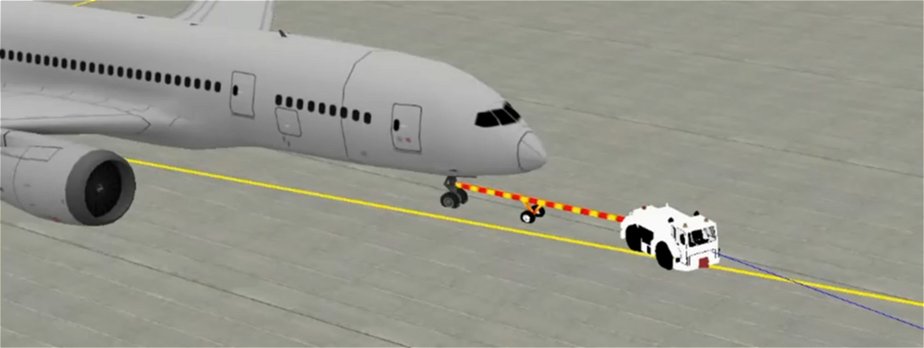
Building a push-back simulator from scratch means writing everything—physics, graphics, and logic—using raw code and a 3D engine. In contrast, vsTASKER is a visual simulation software that automates coding through a graphical paradigm and automatic C++ generation. vsTASKER drastically speeds up development by providing built-in scenario management and dynamic engines.Here is a breakdown of how both approaches compare:Physics and DynamicsFrom Scratch: You must write raw mathematical models based on Newton laws and vector forces. You need to manually code the dynamics for articulated joints, tires, and weight.vsTASKER: Features a flexible architecture where you define entity centers of gravity, velocity vectors, and forces. You build custom motion components (like AxleDyn) and let the engine handle the push and pull interactions.Graphics and EnvironmentFrom Scratch: Requires 3D graphics APIs like OpenSceneGraph, Unity, or Unreal. You have to create or import all 3D models for the aircraft, tugs, and tow bars, and manually integrate them.vsTASKER: Provides a visual synthetic environment builder and can be integrated with external rendering engines (like OpenSceneGraph) or visual toolkits to easily map your scenarios.Time and DevelopmentFrom Scratch: Projects typically take months or years of intensive software engineering. You are responsible for building the core infrastructure from the ground up.vsTASKER: Reduces development time to weeks. It allows software engineers and system integrators to focus purely on bespoke behaviors and rules rather than the underlying infrastructure.Scenarios and LogicFrom Scratch: Every weather condition, trainee action, scoring system, and malfunction must be hardcoded line by line.vsTASKER: Includes built-in scenario planning, electronic warfare support, and robust entity behavioral planning. You can easily drag and drop elements, assign plans, and test variables without changing the core program.Target AudienceFrom Scratch: Hobbyists, researchers with very specific niche constraints, or game developers.vsTASKER: Professional simulation builders, defense contractors, and system engineers needing reliable, scalable, and maintainable infrastructures.
When comparing building an airport push-back simulator completely from scratch versus utilizing the specialized simulation framework vsTASKER by VirtualSim, the choice centers on a trade-off between absolute architectural control and rapid development speed.While building completely "from scratch" requires you to write every component—from the rendering pipeline to the physics solvers—by hand, vsTASKER provides a hybrid model-driven environment. It lets you write bespoke C++ equations for multi-carriage physics from scratch while generating the simulation infrastructure automatically.Core Architectural DifferencesFeature / PhaseBuilding from Scratch (Pure Code)Building with vsTASKERPhysics & KinematicsYou must code custom Newton laws, joint constraints, and vector forces entirely in your IDE.You write specific physics loops into custom dynamic components (e.g., AxleDyn), inheriting basic spatial logic from NoDyn.Infrastructure & ArchitectureYou build the real-time execution loops, event managers, clock synchronization, and data logging manually.The framework handles high-frequency execution loops, global clock scheduling, and automatic C++ code generation.Graphics IntegrationRequires manual integration with a rendering engine (like OpenGL, DirectX, or Vulkan) and custom object transformations.Naturally couples with OpenSceneGraph (OSG) and visual engines, mapping 3D coordinates directly to entity centres of gravity.Scenario ControlComplex airside rules, moving ground vehicles, and path planning must be hardcoded or parsed from custom scripts.Features a graphical paradigm to visually map entity behaviors, orchestrate airport scenarios, and inject secondary AI traffic.Deep Dive: Implementation Breakdown1. The "Pure Scratch" PathwayTo mimic a realistic push-back or towing configuration (which relies on articulated parts), you have to solve multi-body vehicle dynamics.The Math: You need to calculate momentum, angle translations between the tug and the aircraft nose gear, and friction coefficients over time without trajectory extrapolation.The Effort: A vast amount of time is spent on non-domain problems, such as handling delta-time synchronization, establishing inter-process communication, or building an editor to place airport assets.2. The "vsTASKER" PathwayVirtualSim’s vsTASKER framework acts as an architectural accelerator. It handles the structural "plumbing" while allowing you to build the physics domain from the ground up:Empty Database Approach: You can start with a blank database. Entities are represented by 3D coordinates at their center of gravity, a velocity vector, and orientation parameters (heading, pitch, roll).High-Frequency Execution: Instead of writing massive trajectory equations, vsTASKER lets you execute real-time loops at high frequencies. Vectors push and pull joints sequentially, preserving natural physical behaviors.Bespoke Components: You can implement a custom AxleDyn component to manage specific axles, tires, and drive shafts, completely bypassing standard predefined presets.